android
How to Forward an Emulator Port to Your PC Using ADB (Beginner’s Guide)
Hey there, If you are an Android developer or develop apps for Android using Java, Kotlin, Flutter, react native or any other language, you might have been stuck on a stage where you need your backend, which is running locally, to be accessible from your Android emulator or your …
 Shashikant Dwivedi
Hey there, If you are an Android developer or develop apps for Android using Java, Kotlin, Flutter, react native or any other language, you might have been stuck on a stage where you need your backend, which is running locally, to be accessible from your Android emulator or your physical device.
So in this guide, I'll be helping you to solve this port using just a simple command of ADB.
Port Forwarding
So the command is -
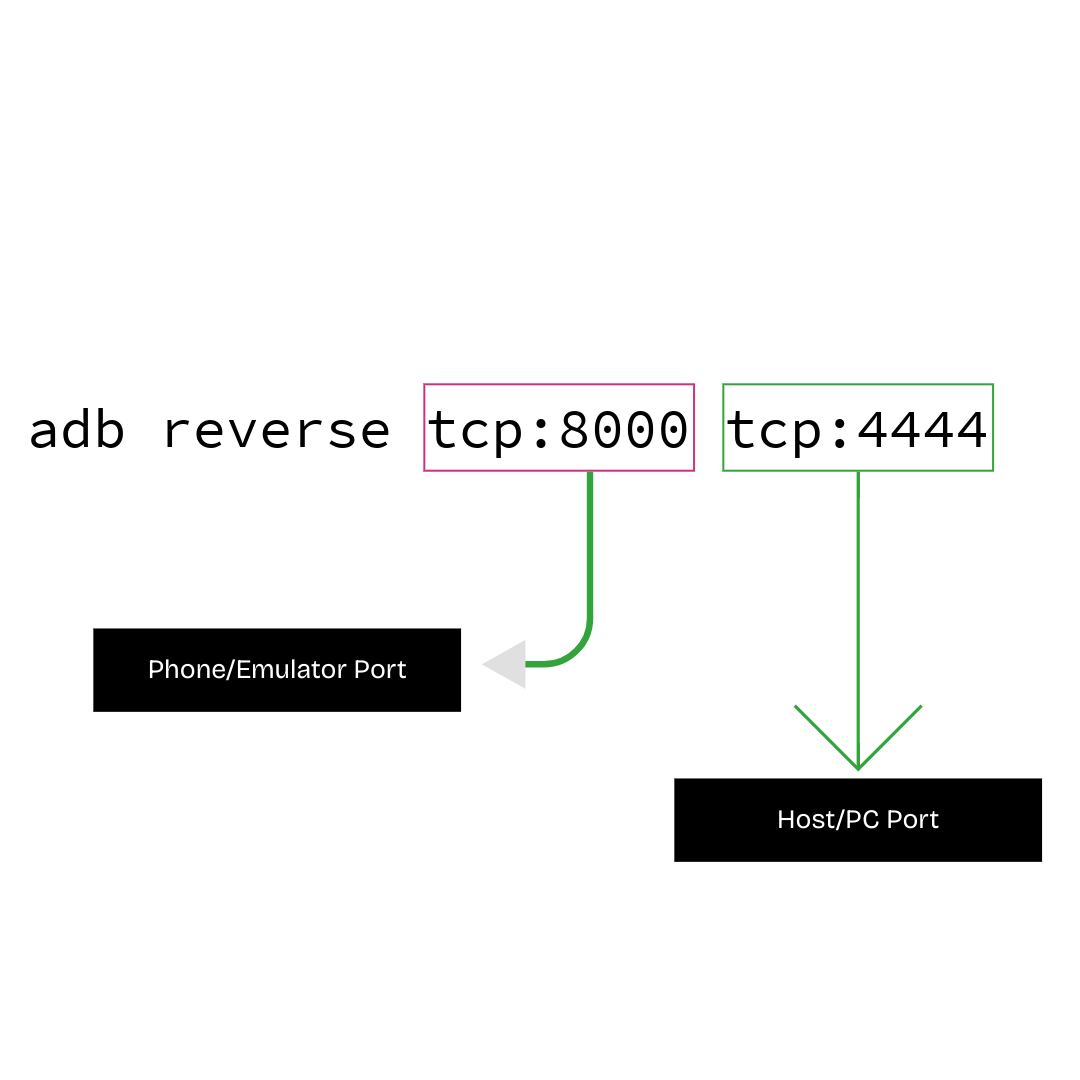
adb reverse <local> <remote>
So here -
<local>is on the device/emulator (what device apps will connect to).<remote>is on the host/PC.
Also this is an example command -
adb reverse tcp:8000 tcp:4444
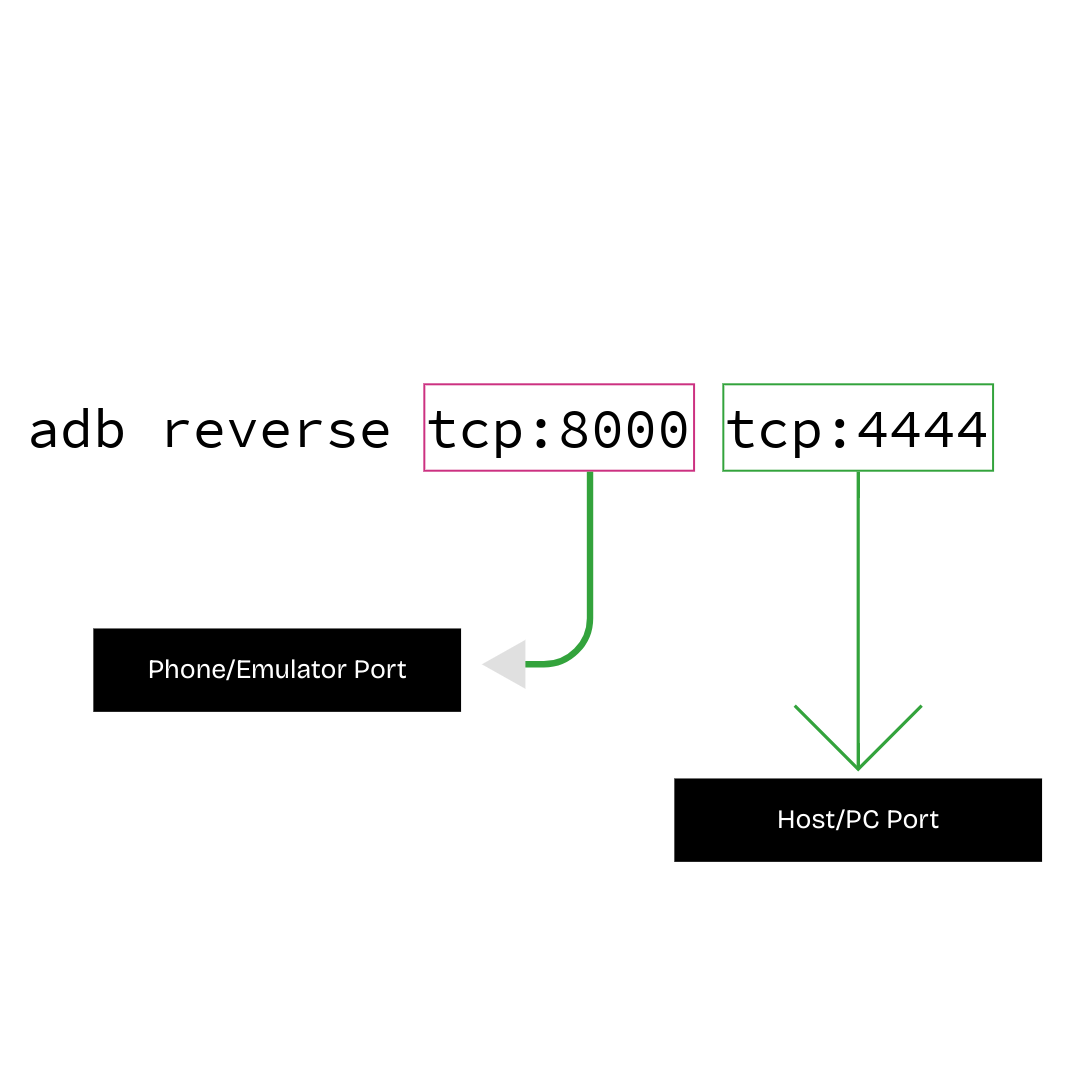
That's it; by using this command, you can simply do port forwarding and successfully connect to the backend running locally.
If you experience any issues, ask me in the comment.
Device connection checklist
- USB debugging is enabled on the device or emulator.
adb deviceslists your target before forwarding ports.- Firewalls on your PC can block forwarded ports; allow the process if needed.
Written by Shashikant Dwivedi
Engineer, occasional writer, full-time noticer. Based in Prayagraj, India. New essays land roughly twice a month.
Keep reading